Organization Workspace Single-Session & Multi-Session Events
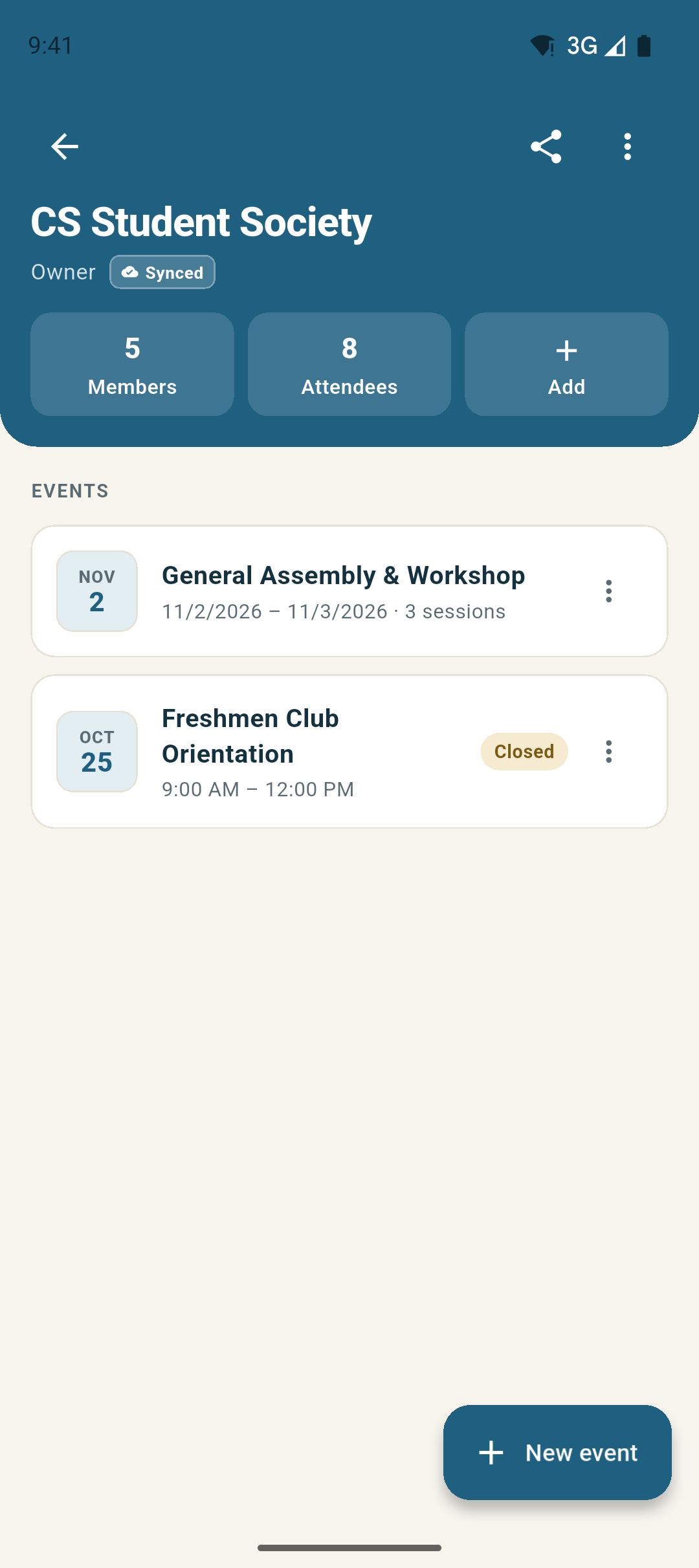
Set up a shared workspace for your student organization in seconds. Whether you are hosting a quick single-session meeting (like Freshmen Club Orientation · 9:00 AM – 12:00 PM) or a multi-day conference with multiple sessions, everything lives in one clean hub.
Screen Highlights
- Single-Session or Multi-Day Events: Create a fast single-window event by default, or flip one toggle when you need multi-day or AM/PM session tracking.
- At-a-Glance Group Header: Monitor 5 Members, 8 Attendees, and active event cards right from the top teal band with real-time sync.
- Instant Event Creation: Tap "+ Add" to schedule meetings with date, start time, end time, and optional auto-lock on completion.
Instant Invite & Sharing 6-Character Code & High-Contrast QR
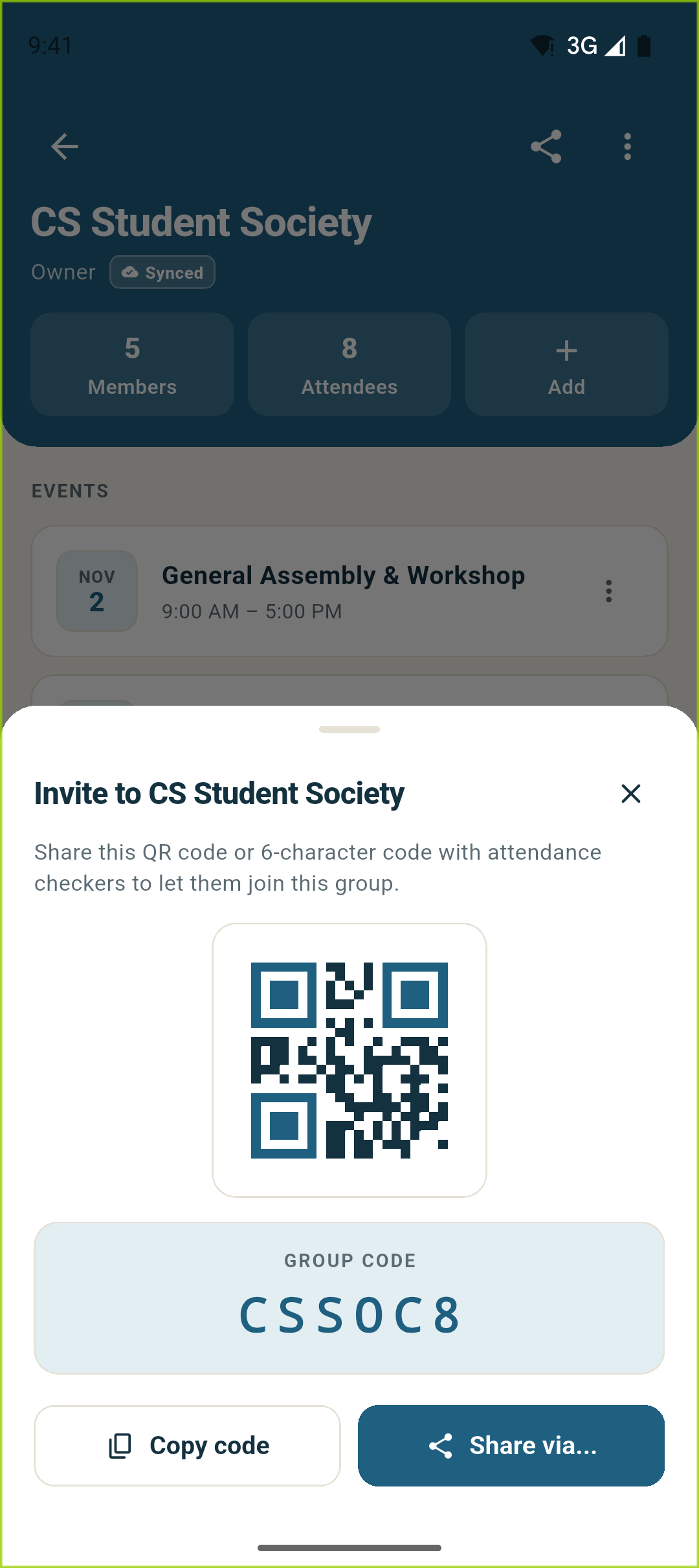
Tap the share icon on the group header to generate an instant invite sheet. New attendance checkers and officers can scan the live QR code with their phone camera or enter the 6-character invite code.
Screen Highlights
- 6-Character Monospace Code (CSSOC8): Easy for officers and students to remember, type, or message in group chats.
- High-Contrast QR Code: Large scannable QR display designed for fast scanning across room lighting conditions.
- 1-Tap Copy & Native Sharing: Copy the code to your clipboard in 1 tap or share directly via Android system share sheet.
Fast Member Onboarding Type Code or Scan via Camera
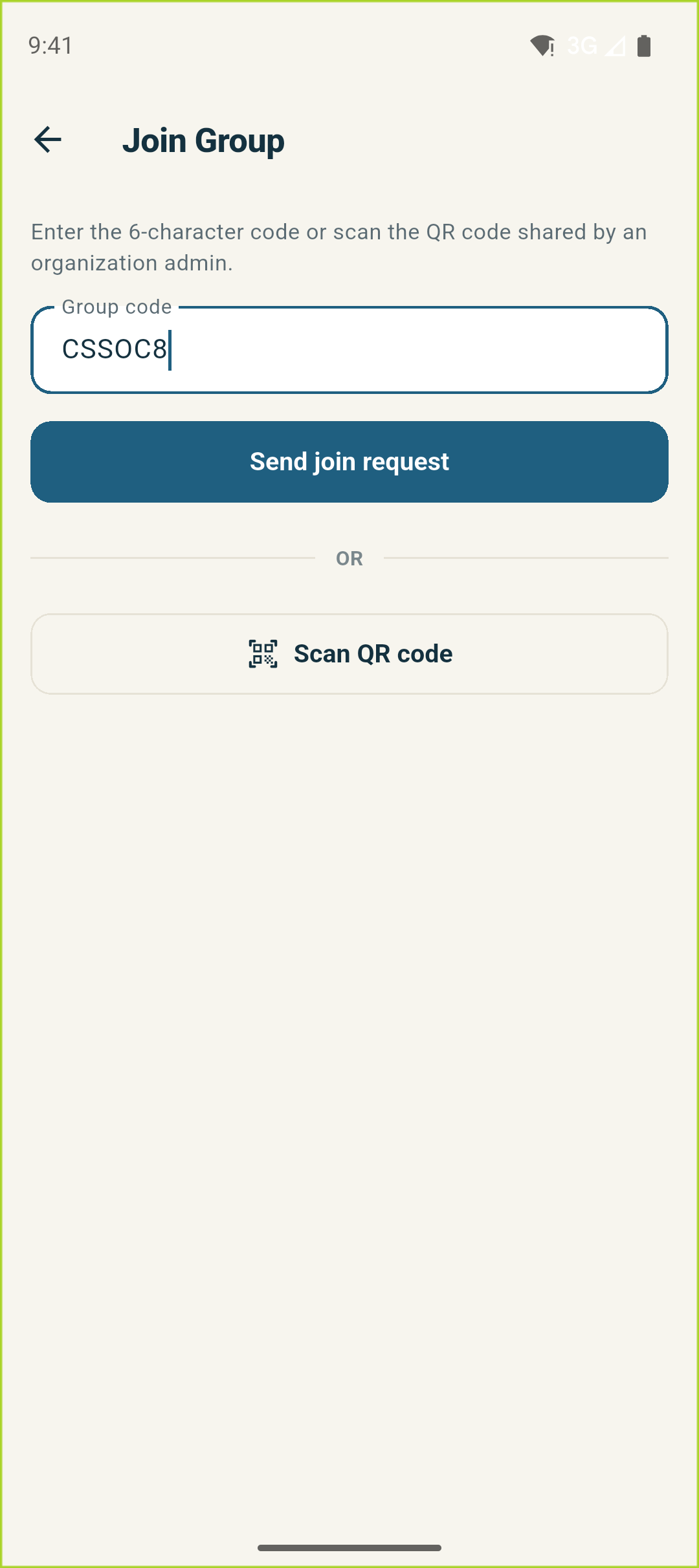
Joining a student organization workspace takes less than five seconds. Type the 6-character invite code (e.g. CSSOC8) or tap "Scan QR code" to instantly point your phone camera at an organizer’s screen.
Screen Highlights
- Direct Code Entry: Capitalized alphanumeric field with real-time validation and instant join request dispatching.
- Integrated QR Scanner: Tap "Scan QR code" to scan an officer’s device directly without leaving the app.
- Role-Based Governance: Granular permissions (Owner, Admin, Member) ensure only verified officers can scan attendance.
100% On-Device Biometrics Synced · 7 templates ready
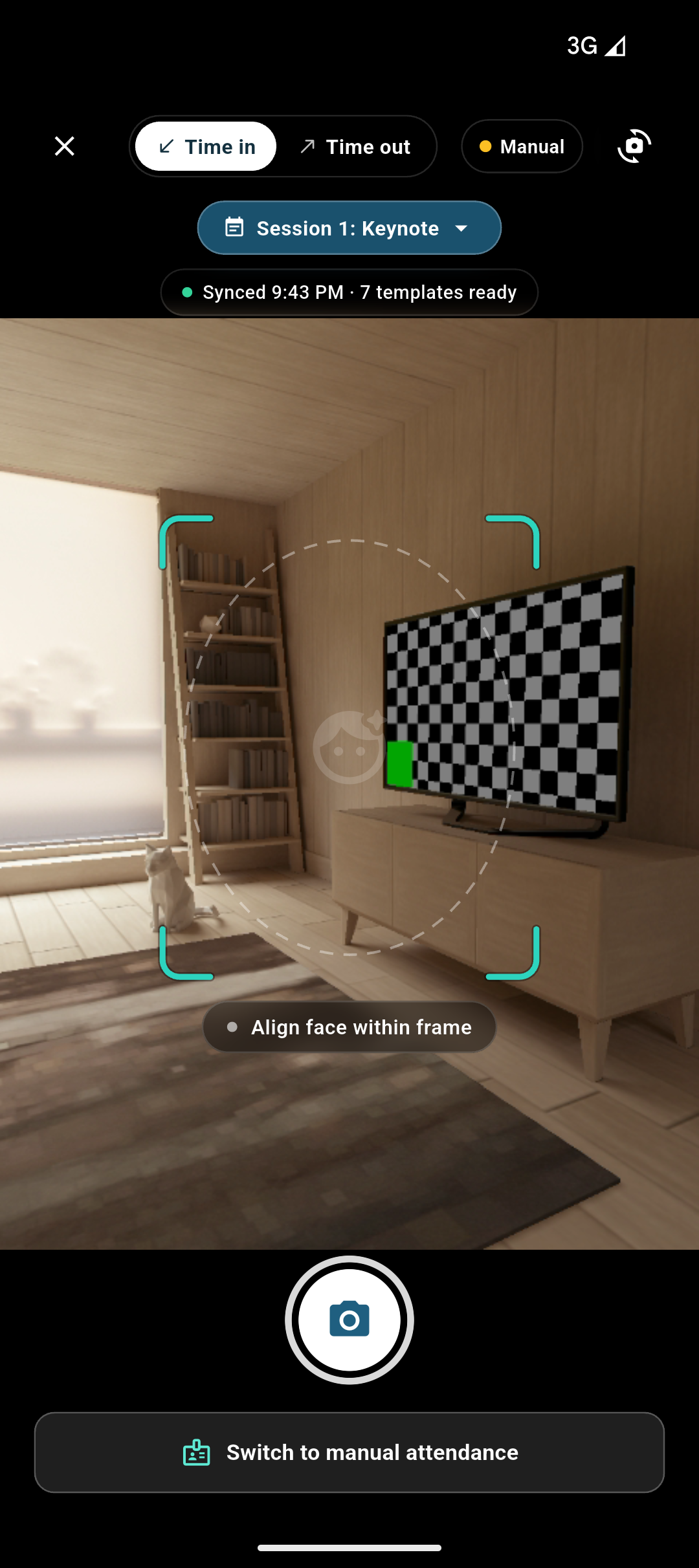
Attendance checkers can open the camera, toggle between Time in and Time out, and check students in on the go wherever the event is happening. MobileFaceNet matches faces directly on your device without an internet connection.
Screen Highlights
- On-the-Go Face Recognition: Ultra-lightweight neural network matches enrolled faces in under 200ms with on-screen bounding boxes.
- Time-in / Time-out Toggle: Seamlessly switch check-in modes at the door with a persistent header control.
- Offline Biometric Cache: Group face templates are cached on-device (Synced · 7 templates ready) for auditoriums and fields without Wi-Fi.
Manual Attendance Mode Type-to-Filter Search & 1-Tap Entry
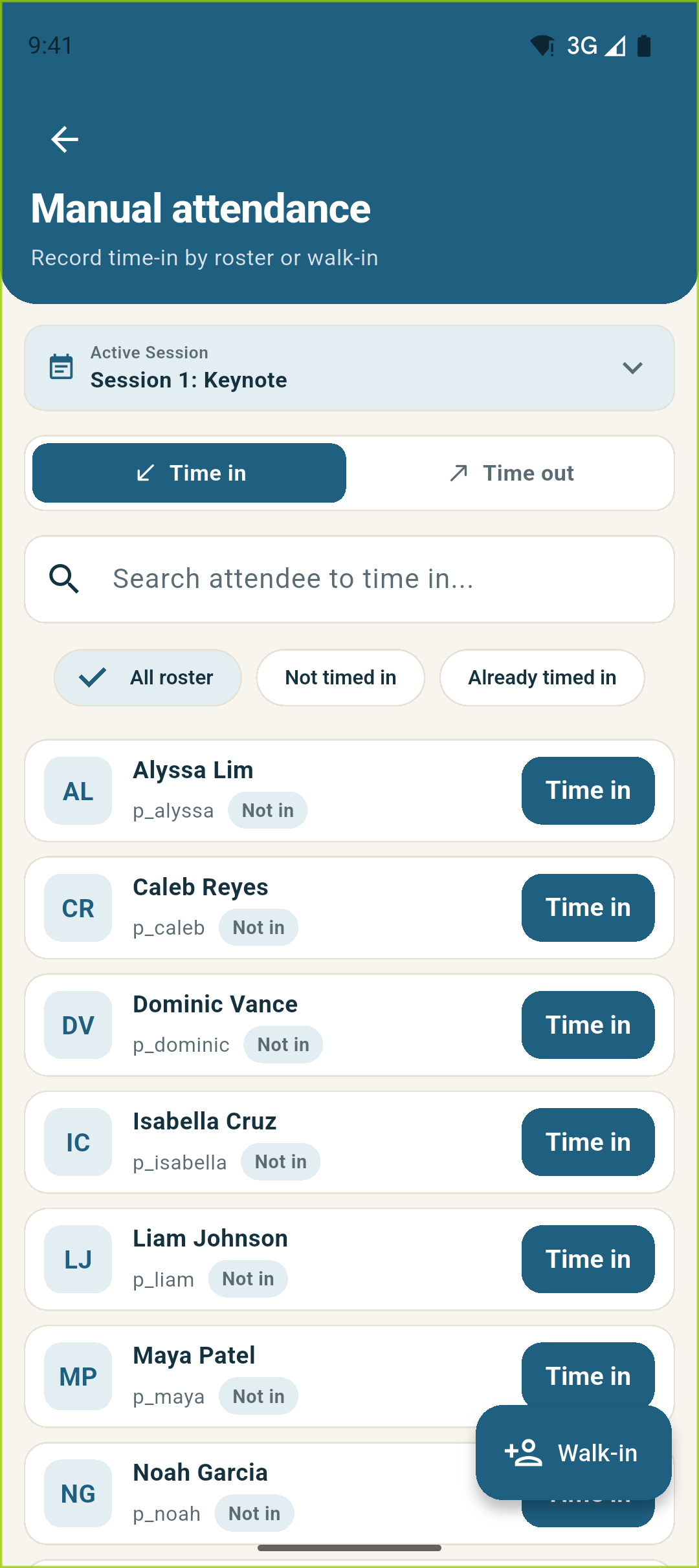
When students prefer not to use facial recognition or lighting is poor, tap "Switch to manual attendance" to open the roster search. Type any part of a student’s name or ID to filter and record attendance instantly.
Screen Highlights
- Type-to-Filter Search: Instant search across student names and Student IDs with highlighted query terms.
- 1-Tap Time In / Time Out: Dedicated action buttons update attendance status in real time with audio-haptic feedback.
- Walk-In Floating Action Button: Tap the prominent "Walk-in" button to register new attendees on the fly without interrupting line flow.
No Pre-Built Roster Needed On-the-Go Attendee Registration
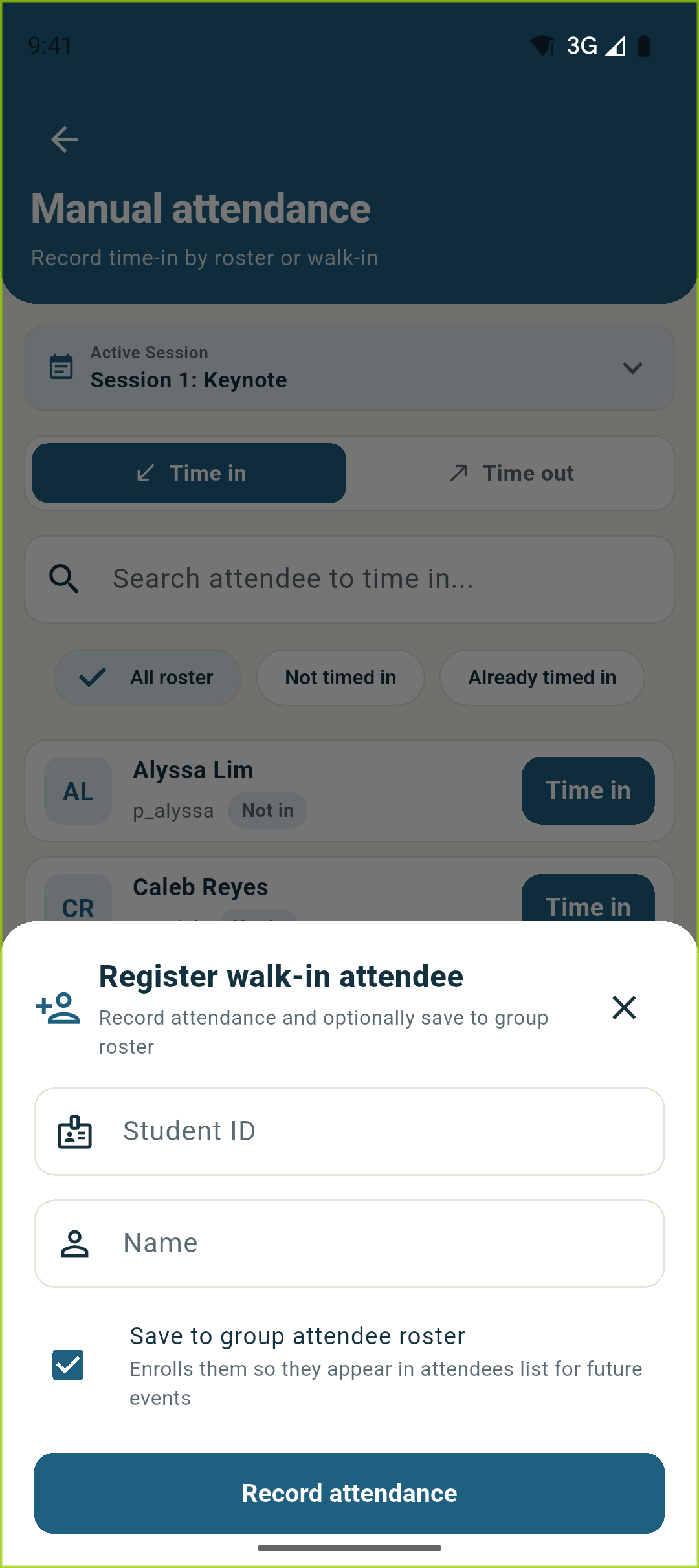
No need to collect and import spreadsheets before your event. When a new student arrives, simply open the Walk-in sheet, enter their Student ID and name, and record their attendance immediately.
Screen Highlights
- Save to Group Attendee Roster: Check the box to automatically add new walk-ins to the permanent group roster for all future events.
- Instant Biometric Link: Link a captured face photo directly during walk-in so the student can use facial recognition next time.
- Zero Pre-Work Required: Your roster builds itself automatically as students show up to your meetings and activities.
Real-Time Attendance Feed Session Pills & Status Counters
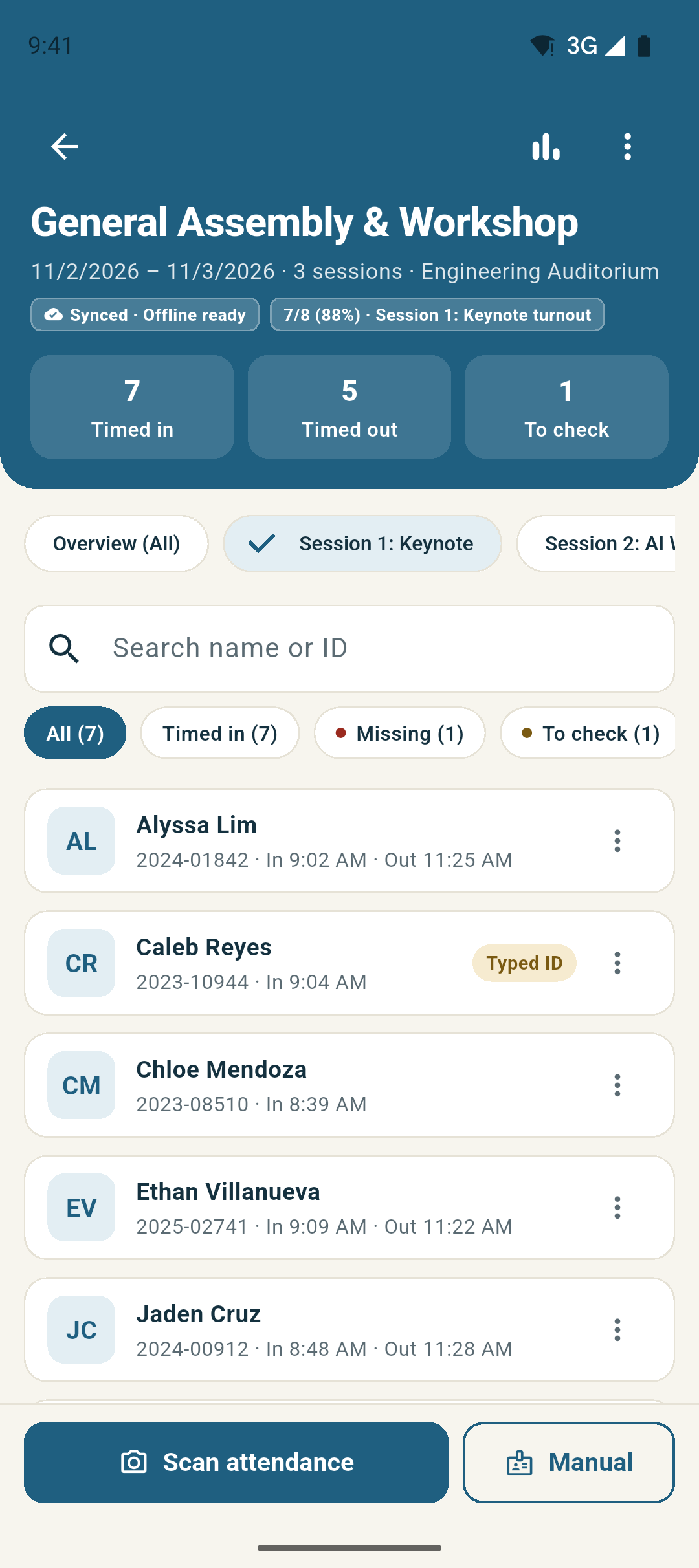
Track who is present, who has timed out, and who is still missing in real time. Filter between sessions, search by student name or ID, and inspect exact arrival timestamps with clear status tags.
Screen Highlights
- Live Status Summary Bar: Displays dynamic counts for 7 Timed in, 5 Timed out, and 1 To check at a glance.
- Session & Status Filter Pills: Filter between All, Timed in, Missing, and To check (pending manual verification).
- Detailed Student Cards: Displays student avatar, name, Student ID, verification badge, and exact time-in/out timestamps.
Attendance Accountability Typed ID Badges & 1-Tap Verification
Check-ins recorded manually or via typed ID are tagged with a "Typed ID" badge. Officers can review all pending manual entries under the "To check" filter and verify them individually or in 1 batch tap.
Screen Highlights
- Distinct "Typed ID" Tag: Clearly separates face-verified check-ins from manual officer inputs for audit accountability.
- 1-Tap Batch Verification: Admins can verify all pending student entries at once before exporting official event records.
- Automatic Event Lock: Events automatically lock attendance modifications when the scheduled end time passes.
Cross-Event Intelligence Cumulative Performance & Event Leaderboard
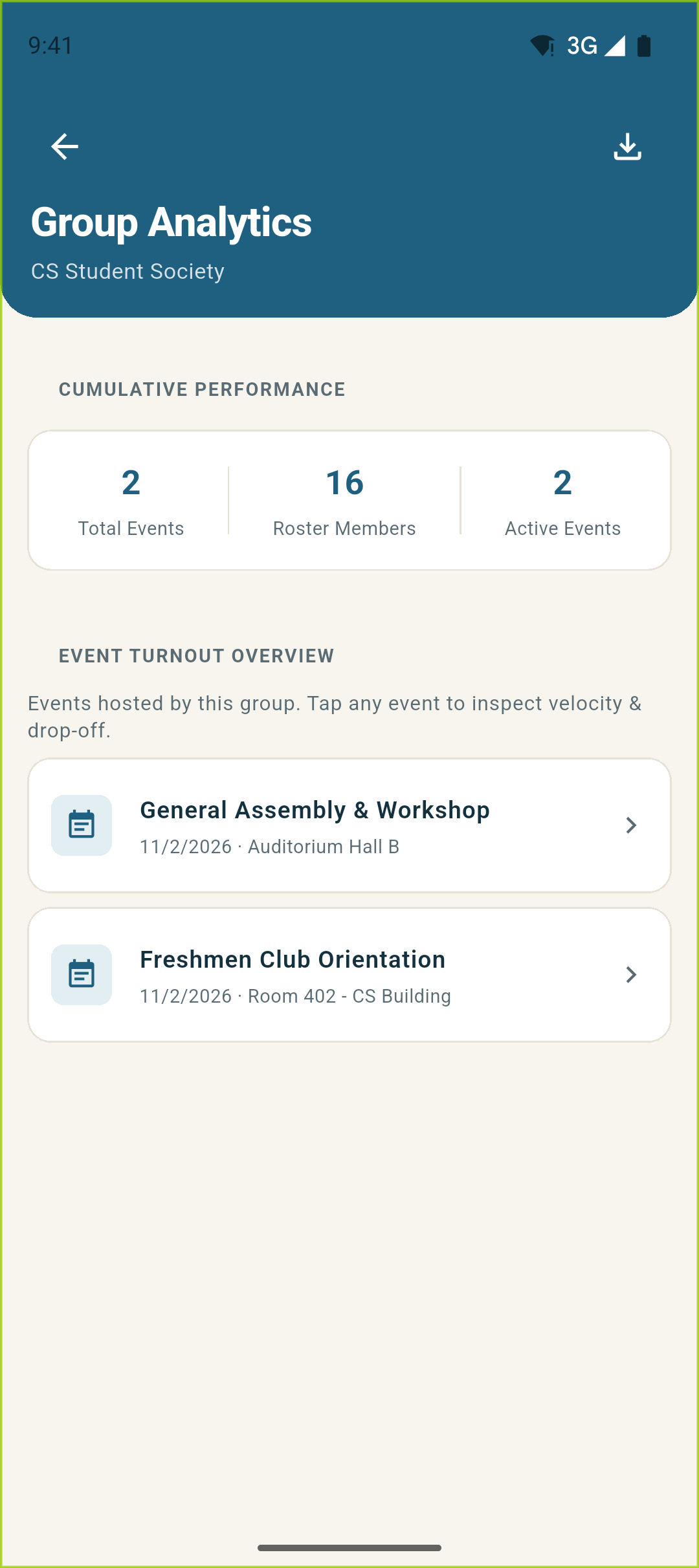
Gain instant bird's-eye visibility across all events hosted by your organization. Monitor cumulative metrics for Total Events, Roster Members, and Active Events, drill down into attendance rates, and export cross-event turnout summaries in 1 tap.
Screen Highlights
- Cumulative KPI Dashboard: Track 2 Total Events, 16 Roster Members, and active sessions in a clean high-level summary card.
- Cross-Event Turnout Overview: Compare attendance across General Assembly & Workshop, Freshmen Orientation, and future sessions.
- 1-Tap Group Summary CSV: Export organization-wide participation leaderboards directly to Google Sheets or Excel.
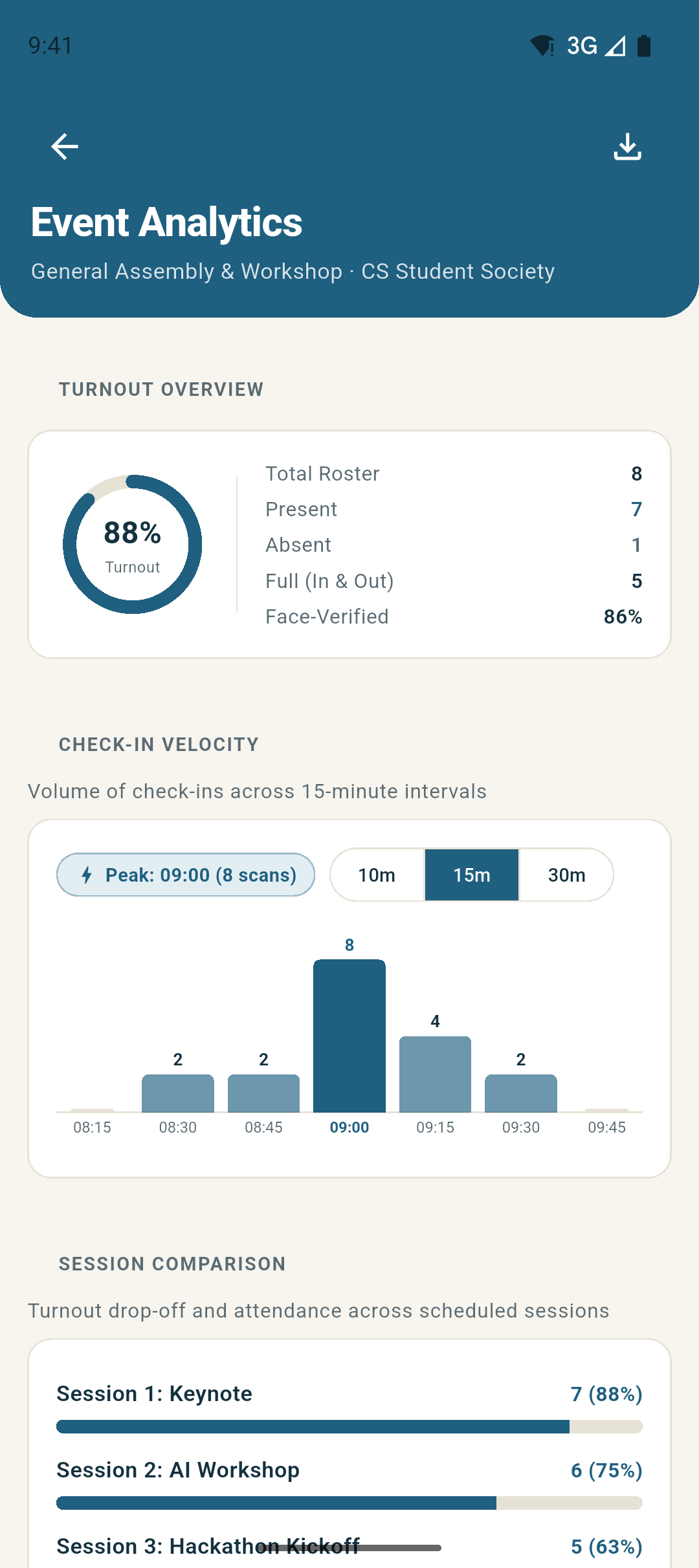
Turnout Analytics 88% Turnout · 15m Check-In Velocity
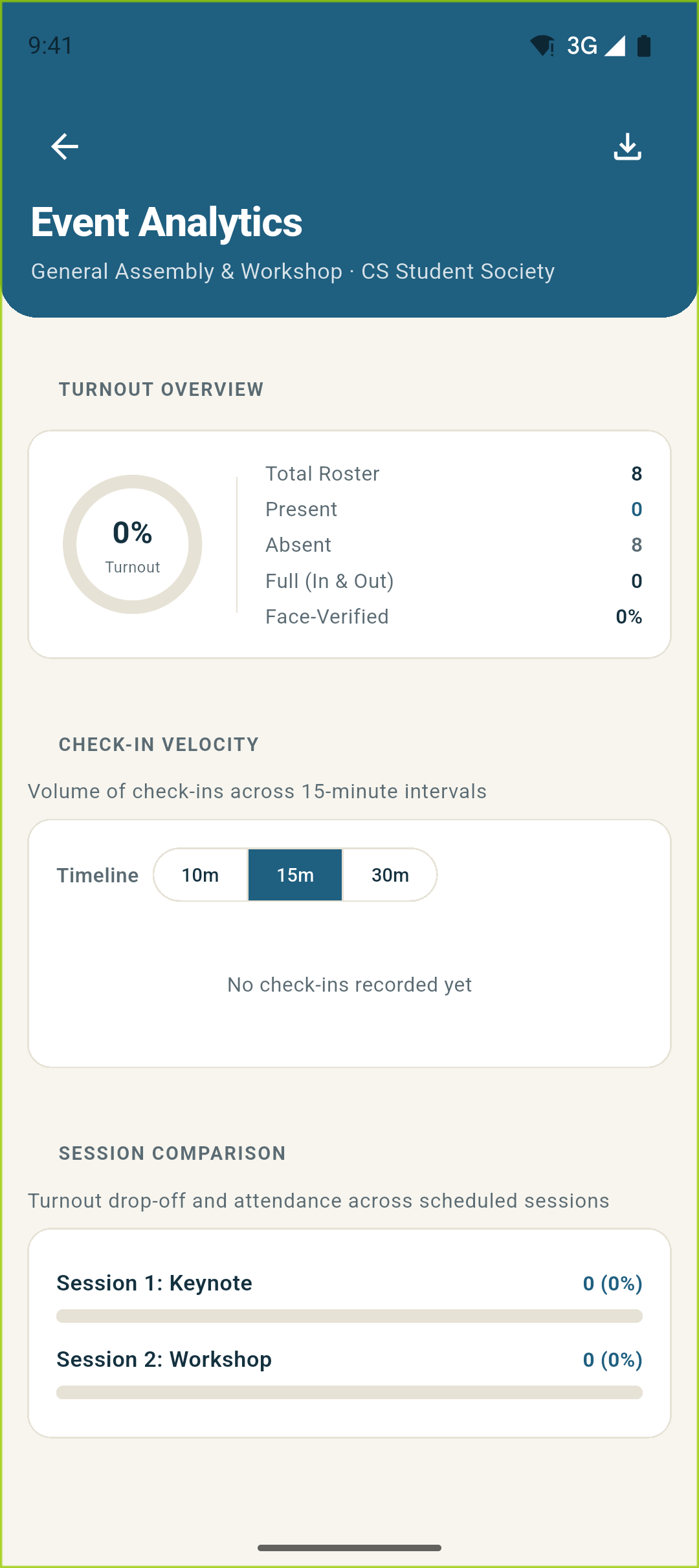
See your event turnout percentage, present vs absent counts, full (in and out) completion rates, and face-verified ratio. Toggle between 10m, 15m, and 30m intervals to analyze arrival rush patterns.
Screen Highlights
- 88% Turnout Ring Chart: Visual breakdown of present vs absent attendees and full attendance completion rates.
- Configurable Velocity Intervals (10m / 15m / 30m): Interactive bar histogram shows check-in speed throughout the doors opening.
- Peak Scan Window Detection: Automatically identifies the busiest arrival period (e.g. Peak: 09:00 with 8 scans).
Multi-Session Intelligence Session Retention & Signed PDF / CSV Exports
For multi-session conferences and workshops, compare attendance drop-off between morning and afternoon sessions side-by-side. Export signed PDF attendance sheets or formula-sanitized CSV reports.
Screen Highlights
- Side-by-Side Session Retention: Track attendance retention between Session 1 (Keynote) and Session 2 (Workshop) with progress bars.
- Print-Ready Signed PDF Export: Generates official PDF attendance sheets with organizer signature lines and session timestamps.
- Formula-Sanitized CSV Export: Generates spreadsheet-ready attendance sheets with automatic CSV injection defense.
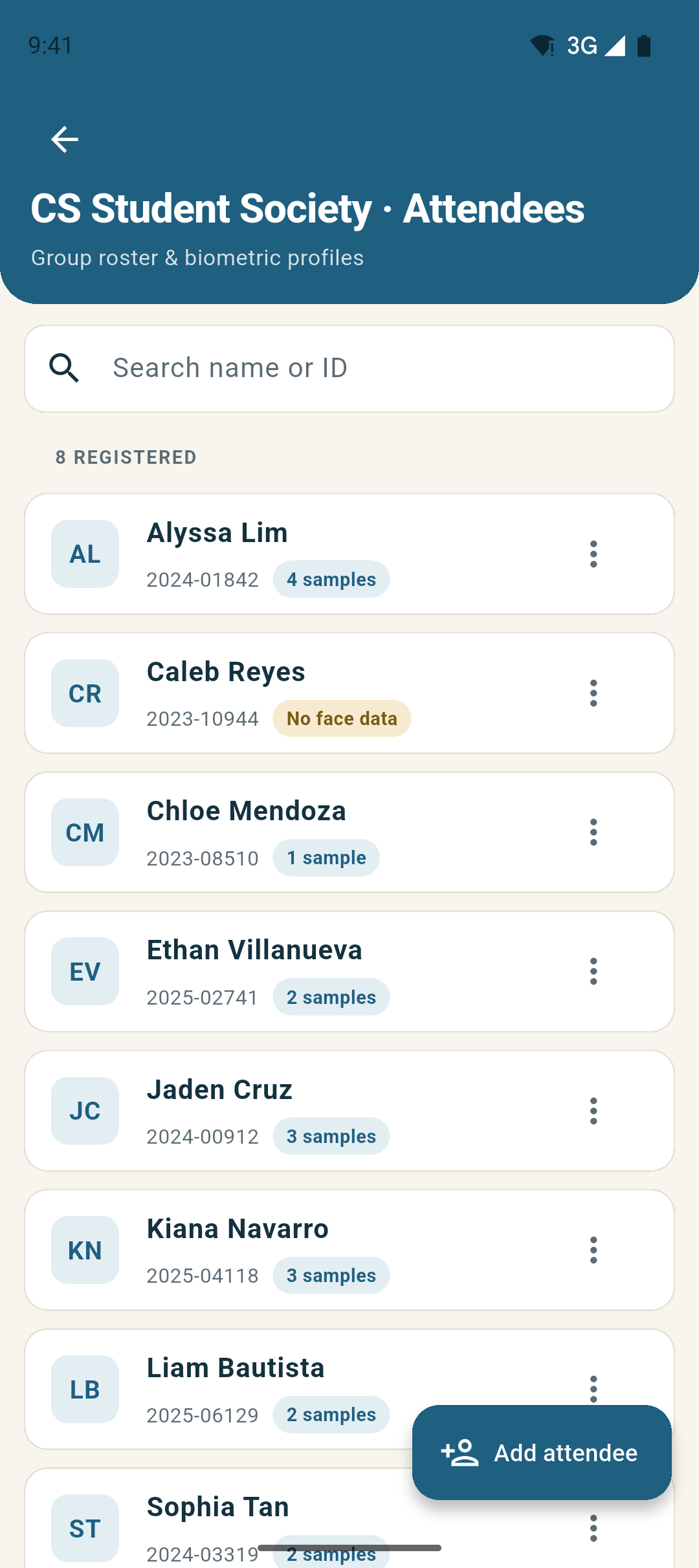
Biometric Roster Management Multi-Sample Face Enrollment
Every student who registers or walks in appears in your group’s permanent Attendees roster. Badges display exactly how many face samples are enrolled (e.g. 4 samples, 3 samples, or No face data).
Screen Highlights
- Multi-Sample Badges (4 samples, 3 samples): Visual indicators show biometric recognition fidelity for each student on your roster.
- Privacy & Opt-Out Friendly: Students who decline facial storage are marked with "No face data" and can always be checked in manually.
- On-Device Face Matching: Cached biometric embeddings match students at the door without sending biometric data to any external server.
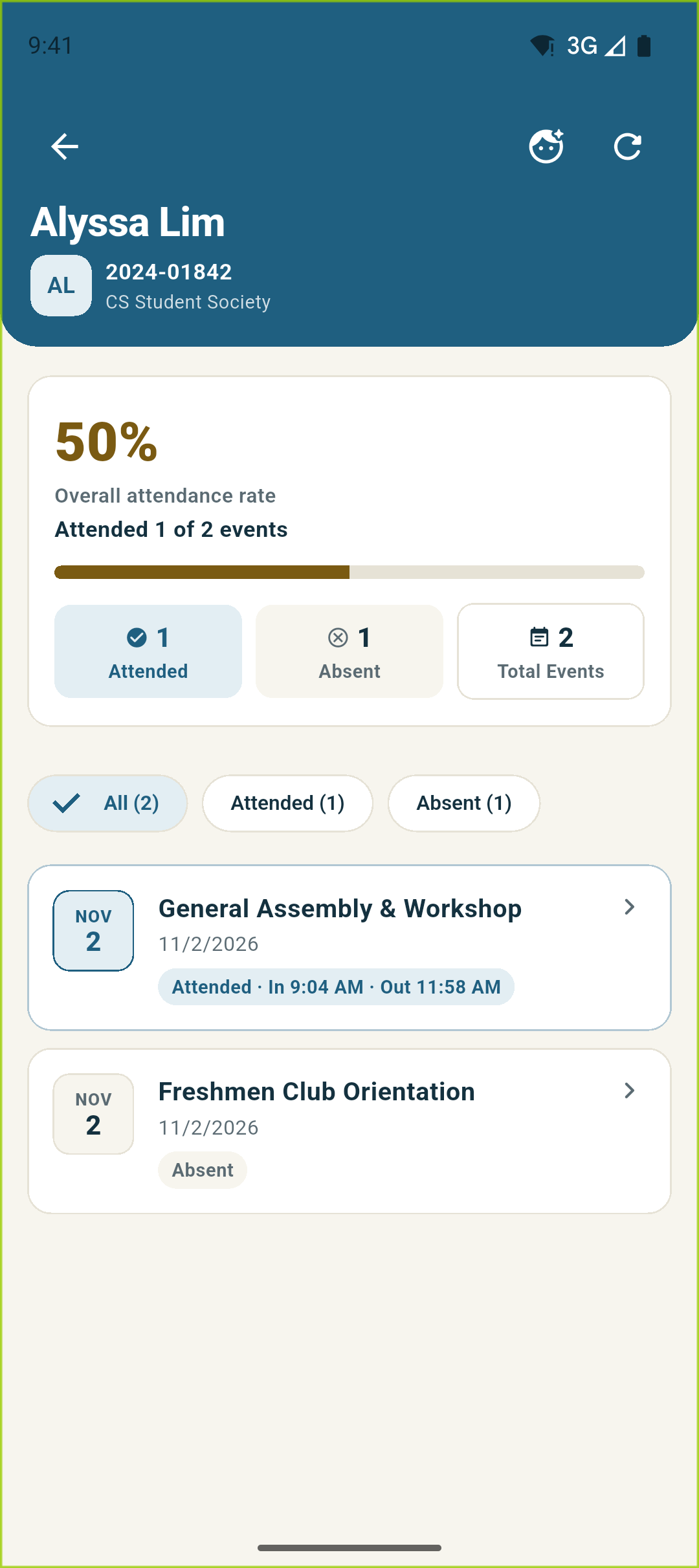
Individual Student Track Record 50% Attendance Rate · Cross-Event History
Tap any student card on your roster to open their full attendance history across all group events. View their cumulative attendance rate, compare attended versus absent sessions, and inspect precise arrival and departure timestamps.
Screen Highlights
- Overall Attendance Rate Card: Calculates individual student attendance percentages (e.g. 50% Attended 1 of 2 events) with visual progress bars.
- Attended vs Absent Filter Tabs: Quickly filter between All, Attended, and Absent event records for academic accountability.
- Session Time-In & Out Stamps: Detailed cards show exact check-in and check-out times (e.g. In 9:04 AM · Out 11:58 AM).
Access Governance & Security Granular Role Access Gates & Audit Trail
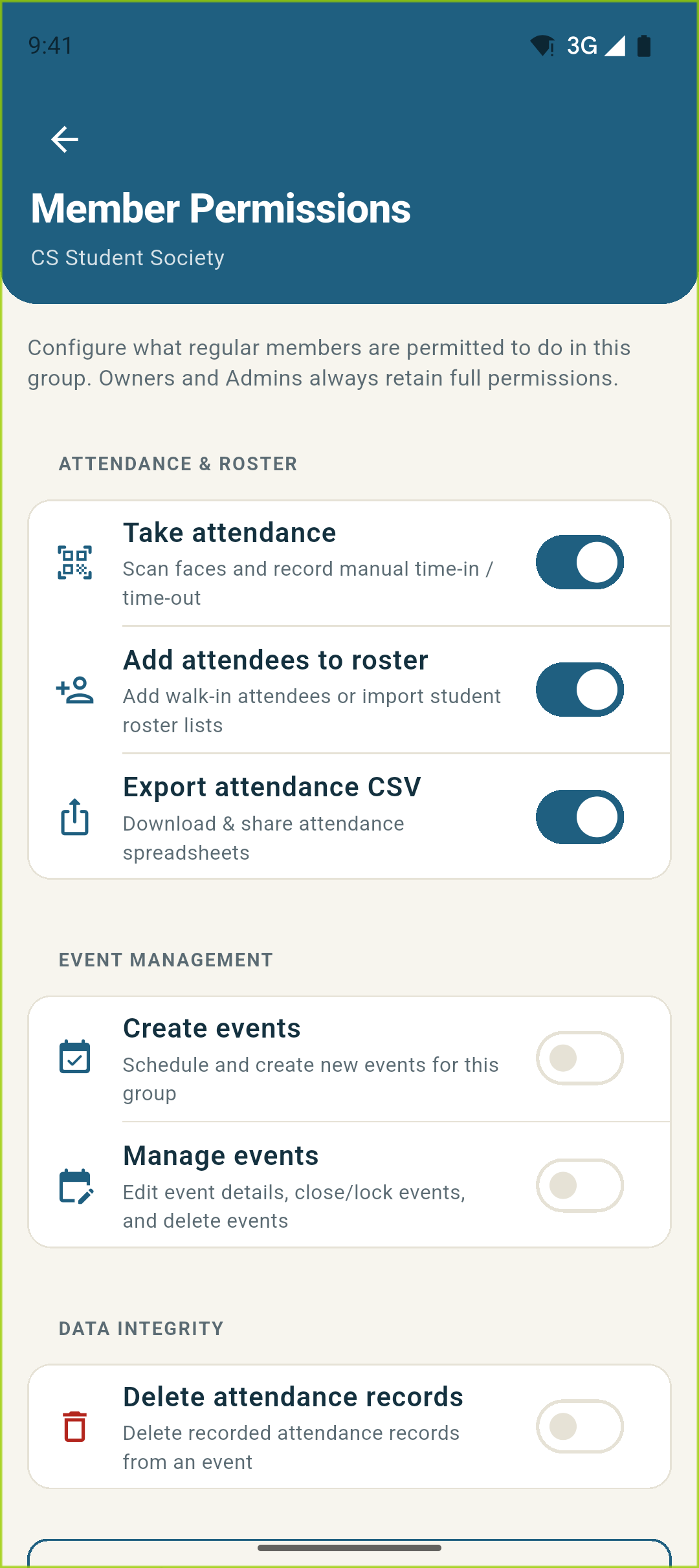
Delegate door scanning to club officers with complete control over what they can do. Toggle granular permissions for attendance scanning, roster imports, and CSV exports, while tracking all changes in a tamper-evident audit log.
Screen Highlights
- Granular Access Toggles: Fine-grained permission gates for scanning attendance, adding walk-ins, and exporting CSVs.
- Role Hierarchy (Owner, Admin, Member): Enforces strict boundaries so only authorized officers can create events or modify rosters.
- Tamper-Evident Audit Logging: Chronological security log records every role assignment, batch verification, and exported report.
Captured live from Here! v2.1.0-beta.6 (Android Emulator) Use ← → arrows or sub-tabs to browse